Buildertrend alternative for commercial and civil contractors
Buildertrend was built for residential general contractors: homeowner portals, finish selections, allowance tracking, and warranty management. Those features are exactly right for a custom home builder. They are not relevant to a civil contractor running a roadway or utility project for a public agency, or a commercial subcontractor coordinating field work on a multi-trade job site.
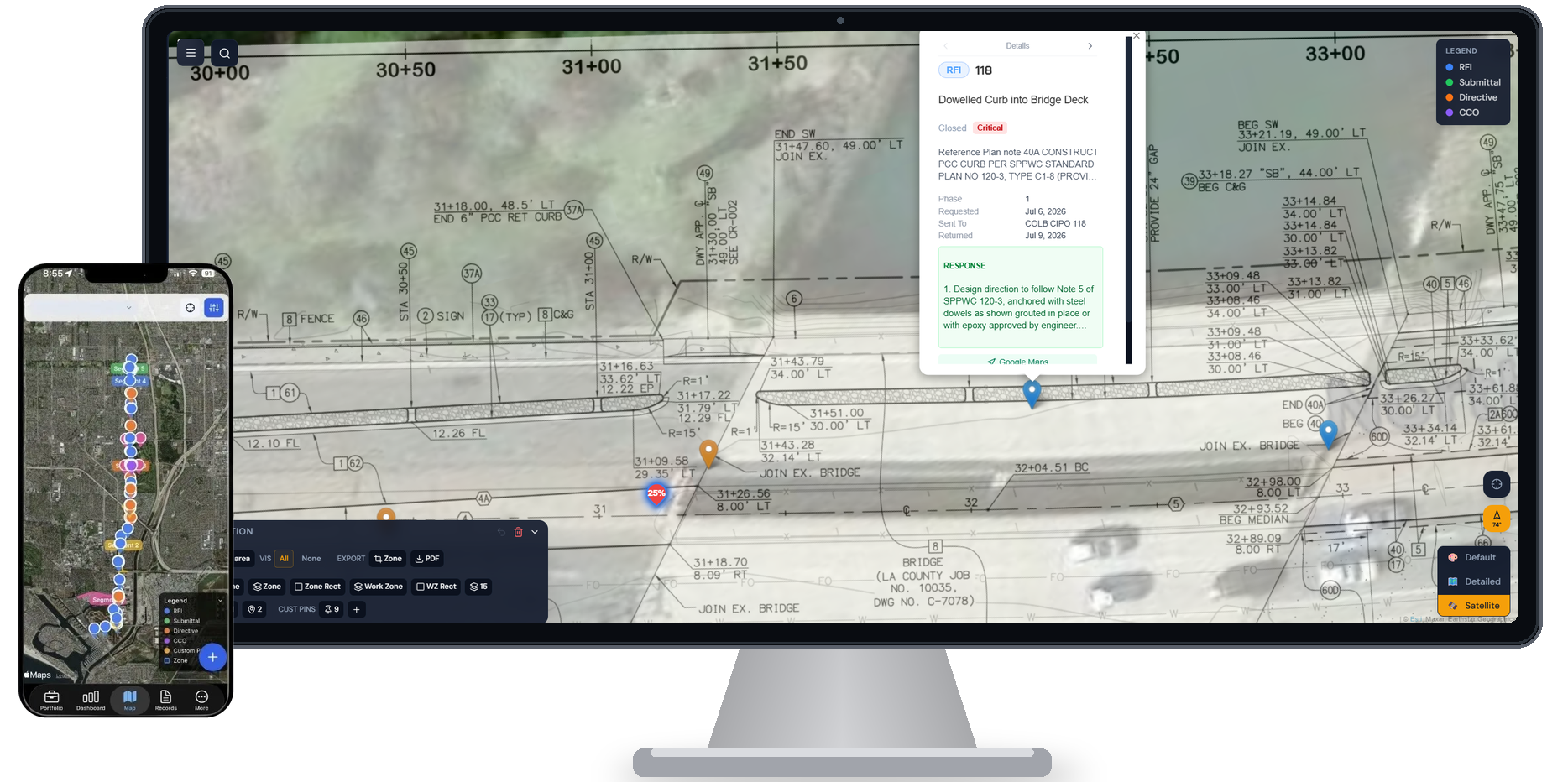
HeavyCivilHelper is a GPS map-first field coordination platform for commercial and civil contractors — tracking RFIs, directives, submittals, and open field issues pinned to the location they apply to. No homeowner portal. No finish selections. A live GPS map of every open item on your project.
Honest framing
This comparison is not "HeavyCivilHelper is better than Buildertrend." Buildertrend is a construction management platform built specifically for residential general contractors — covering homeowner communication, selections, allowances, change order billing, warranty management, and scheduling for custom home builders and residential remodelers. If your operation is residential construction — custom homes, remodels, or residential GC work — Buildertrend is one of the most complete platforms for managing the homeowner relationship, the selection process, and residential billing. It is purpose-built for that workflow. HeavyCivilHelper is a map-first field coordination layer — a different tool for a different workflow.
When residential contractors move into commercial or civil work
Many specialty contractors start in residential and expand into commercial or civil public works. When that happens, their existing tools stop fitting. A homeowner portal is irrelevant on a public works bid. A residential billing workflow does not map to a public agency's payment application process. RFIs and directives on a civil project are a fundamentally different beast than finish-selection change orders on a custom home. HeavyCivilHelper is built for the commercial and civil layer — without the residential overhead.
How the workflows differ
Buildertrend manages the homeowner relationship. HeavyCivilHelper manages field coordination on the project map.
Buildertrend's architecture is built around the homeowner as the primary stakeholder: they log in to see progress photos, approve selections, sign off on change orders, and communicate with their builder. That model is exactly right for residential construction where the end client has a personal stake in every decision and active involvement in the process.
Commercial and civil construction has a different stakeholder structure. The "owner" is often a public agency, a developer, or a GC — not a homeowner selecting tile. The primary coordination challenge is not the client relationship; it is managing the RFIs, directives, submittals, and field conflicts that arise on the job site and tracking them by location so every party knows what is open and where.
HeavyCivilHelper organizes that coordination on a GPS satellite map. Every open item is a pin at the location it applies to — visible to the superintendent, PM, subcontractors, and agency inspector on the same live map. No homeowner portal. No selections workflow. Just field coordination on the project.
Why teams start looking for a Buildertrend alternative
Buildertrend is a well-built platform. The mismatch shows up when the tool was designed for a different team size, workflow type, or level of geographic visibility than the one you are running.
Built exclusively for residential GC workflows
Buildertrend's feature set is optimized for residential construction: homeowner communication, selections, allowances, and warranty tracking. Commercial and civil contractors running public works or multi-trade commercial jobs pay for an entire platform architecture that does not apply to their workflow.
No GPS map for field coordination
Buildertrend has scheduling and job tracking features, but no GPS map interface for civil or commercial field coordination. On a corridor project or multi-site commercial job, knowing where each RFI, directive, and submittal applies on the ground is the difference between a superintendent who knows the project and one who is constantly checking multiple logs.
Pricing structured for residential project volumes
Buildertrend's pricing reflects its residential GC audience — based on the volume and type of projects a homebuilder runs. Commercial and civil contractors have different project economics: fewer, larger jobs with public agency contracts, payment applications, and multi-party coordination requirements. The pricing model and feature set often do not align.
Side-by-side comparison
| Feature | HeavyCivilHelper | Buildertrend |
|---|---|---|
| Primary audience | Civil, utility, and commercial specialty contractors | Residential GCs and custom home builders |
| Core interface | GPS satellite map — every record is a pin at a coordinate | Project management dashboard — scheduling, selections, communications |
| Client portal | Not the focus (public agencies and GCs, not homeowners) | Core feature — homeowner selections, approvals, and communication |
| RFI tracking | Each RFI is a GPS pin at the station where the conflict exists | RFI management available — not GPS-pinned |
| Directive tracking | Core record type pinned to where scope changed | Not a native record type |
| GPS map coordination | Every open item visible on a live satellite map | Not available |
| Finish selections / homeowner portal | Not available — not the audience | Core feature |
| Setup time | Same day, no implementation | Setup typically requires onboarding support |
Specific features and pricing vary by vendor and contract. This comparison reflects general platform positioning, not a comprehensive feature audit.
Who HeavyCivilHelper is for
Good fit
- +Civil and utility contractors who need GPS-level field coordination
- +Commercial specialty contractors managing RFIs, directives, and submittals on multi-trade jobs
- +Residential contractors expanding into commercial or civil public works
- +Teams who need a live map of open items — not a homeowner communication portal
- +Contractors bidding public works where a homeowner portal is irrelevant
Not the right tool if you need
- -Custom home builders who need homeowner portals and finish selection workflows
- -Residential remodelers where client communication and allowance tracking are the priority
- -Contractors whose primary need is scheduling and billing for residential projects
What Comes in HeavyCivilHelper?
Not a rigid system. A toolkit you configure.
Put the location, field photos, records, plans, and work areas on one map your team can use.
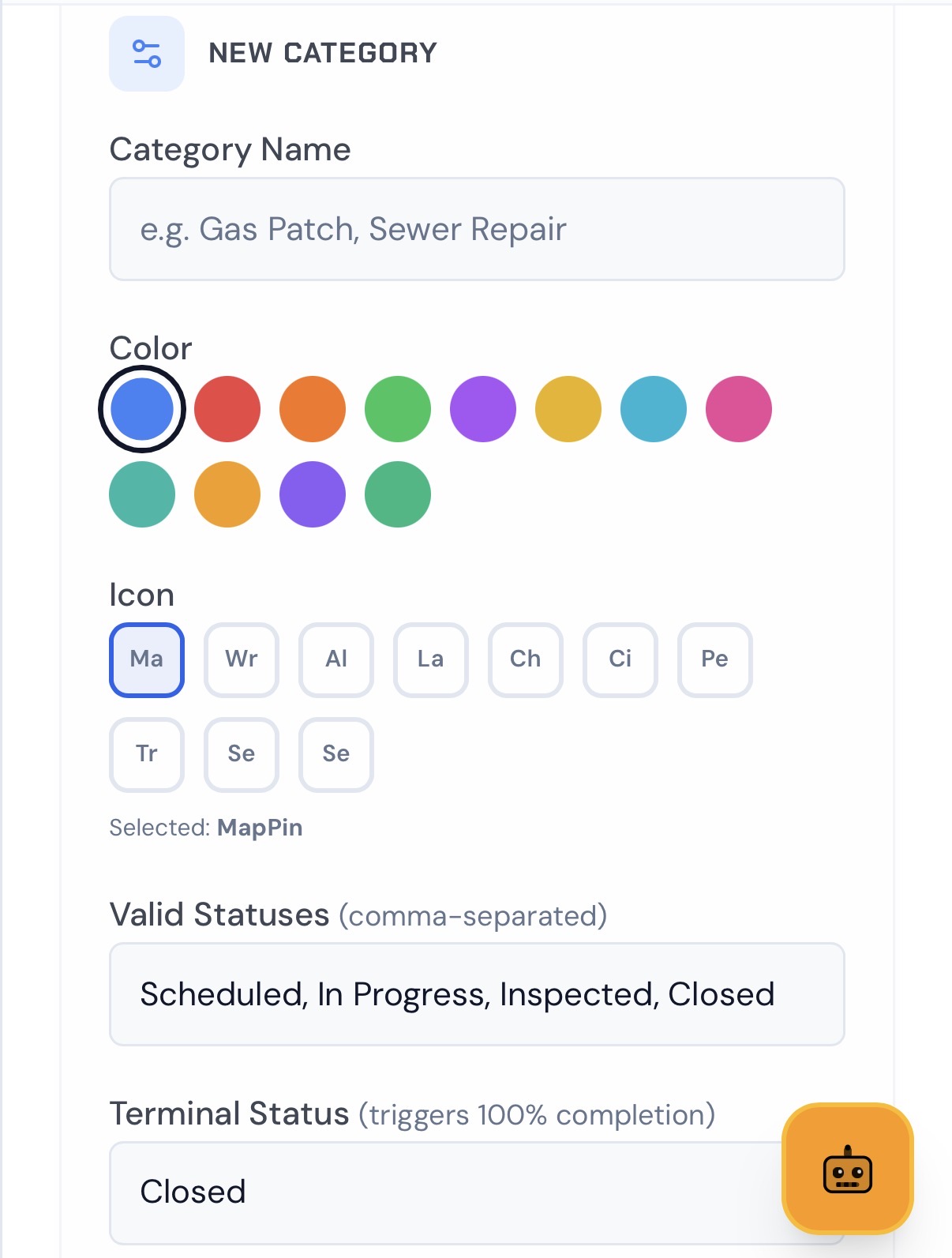
Set Custom Pins
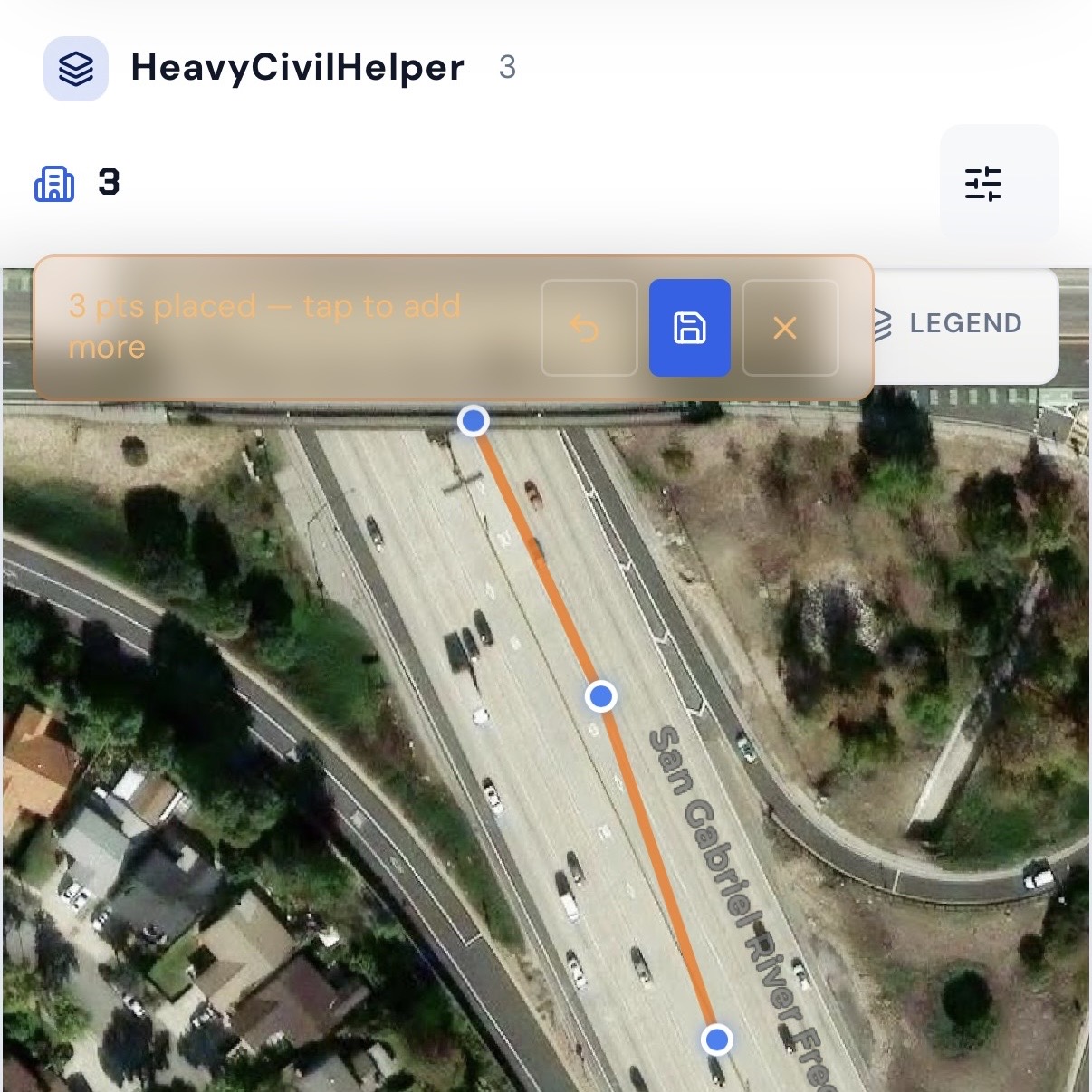
Draw Lines & Routes
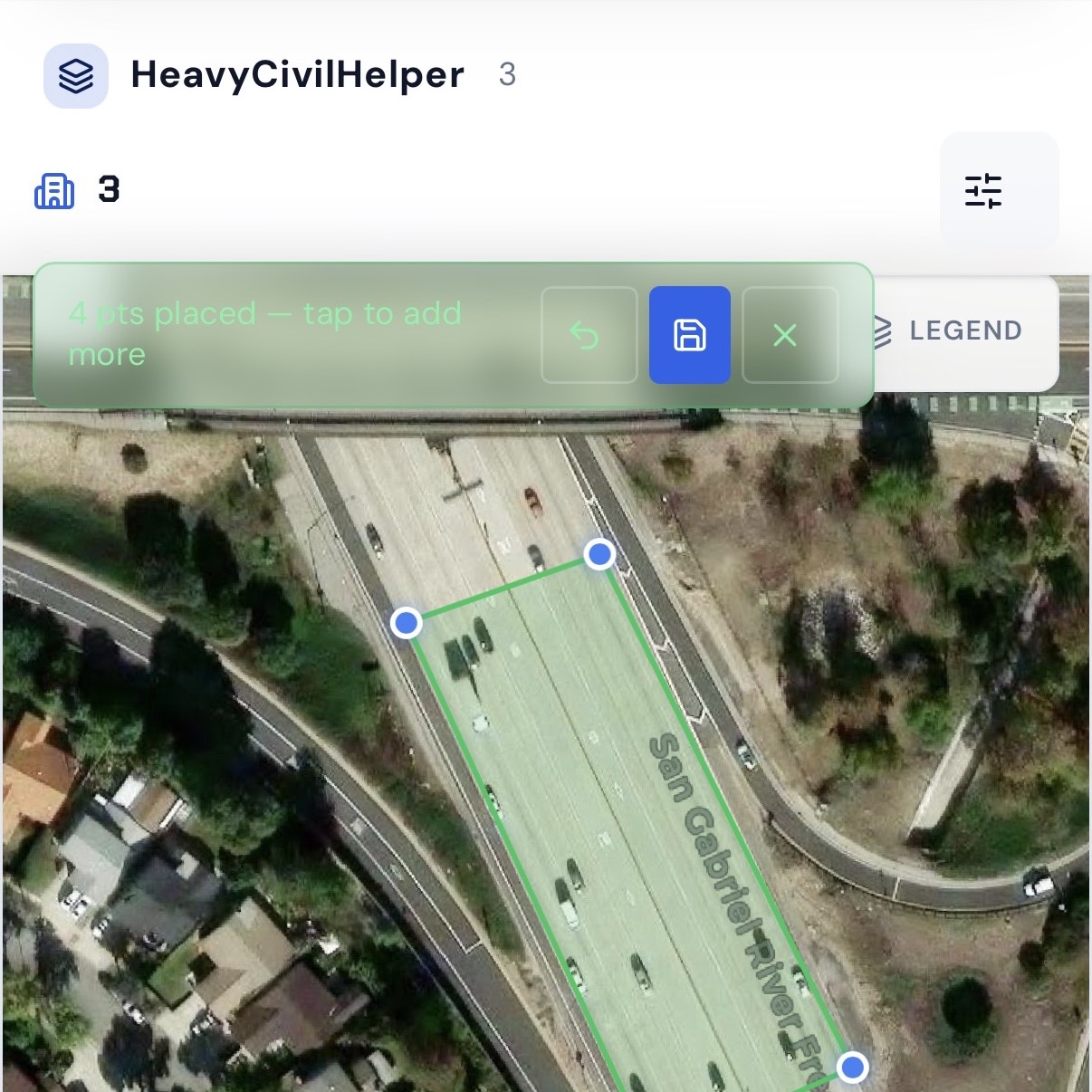
Group Work Zones and Phases
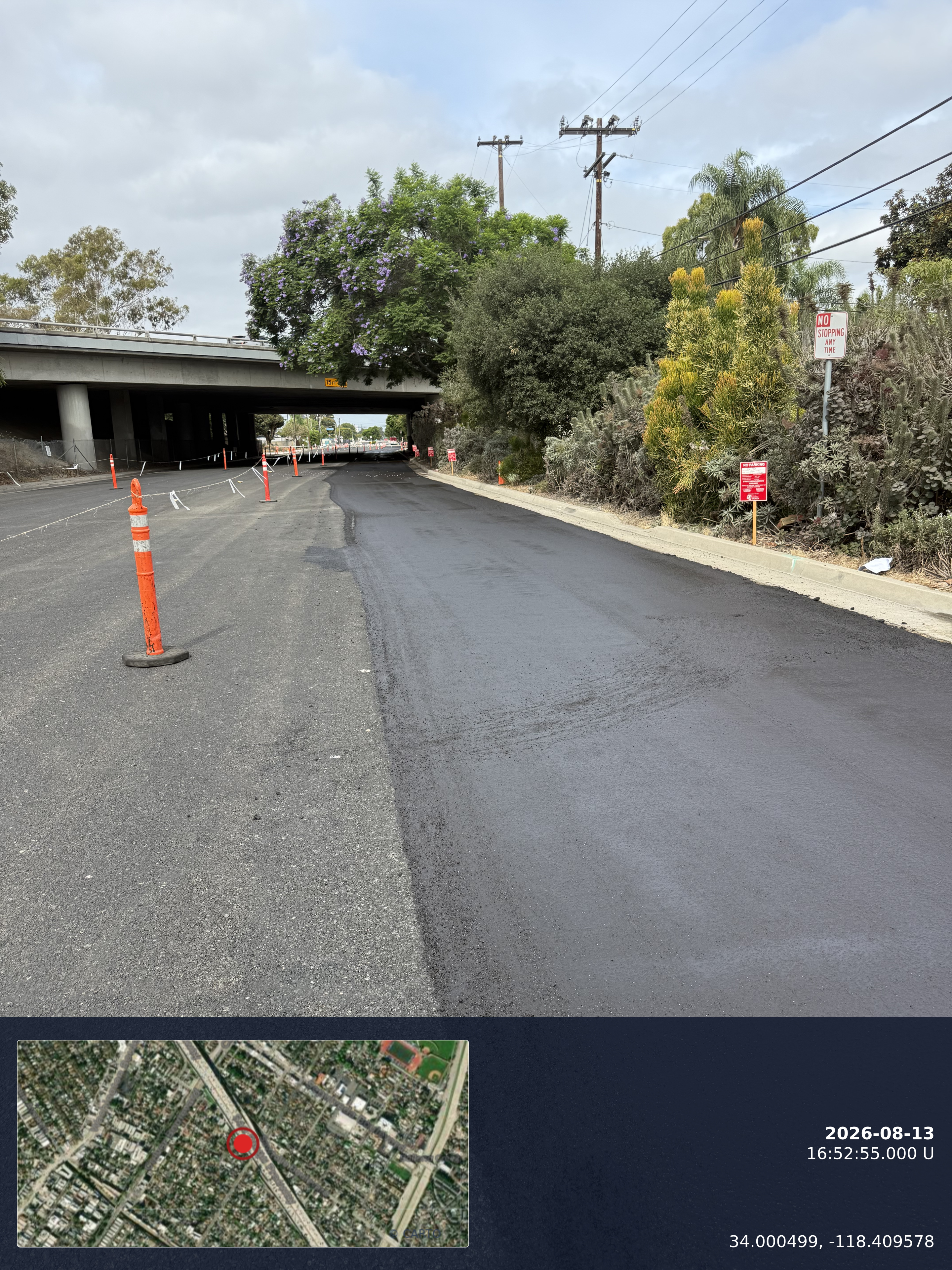
Timestamp Camera
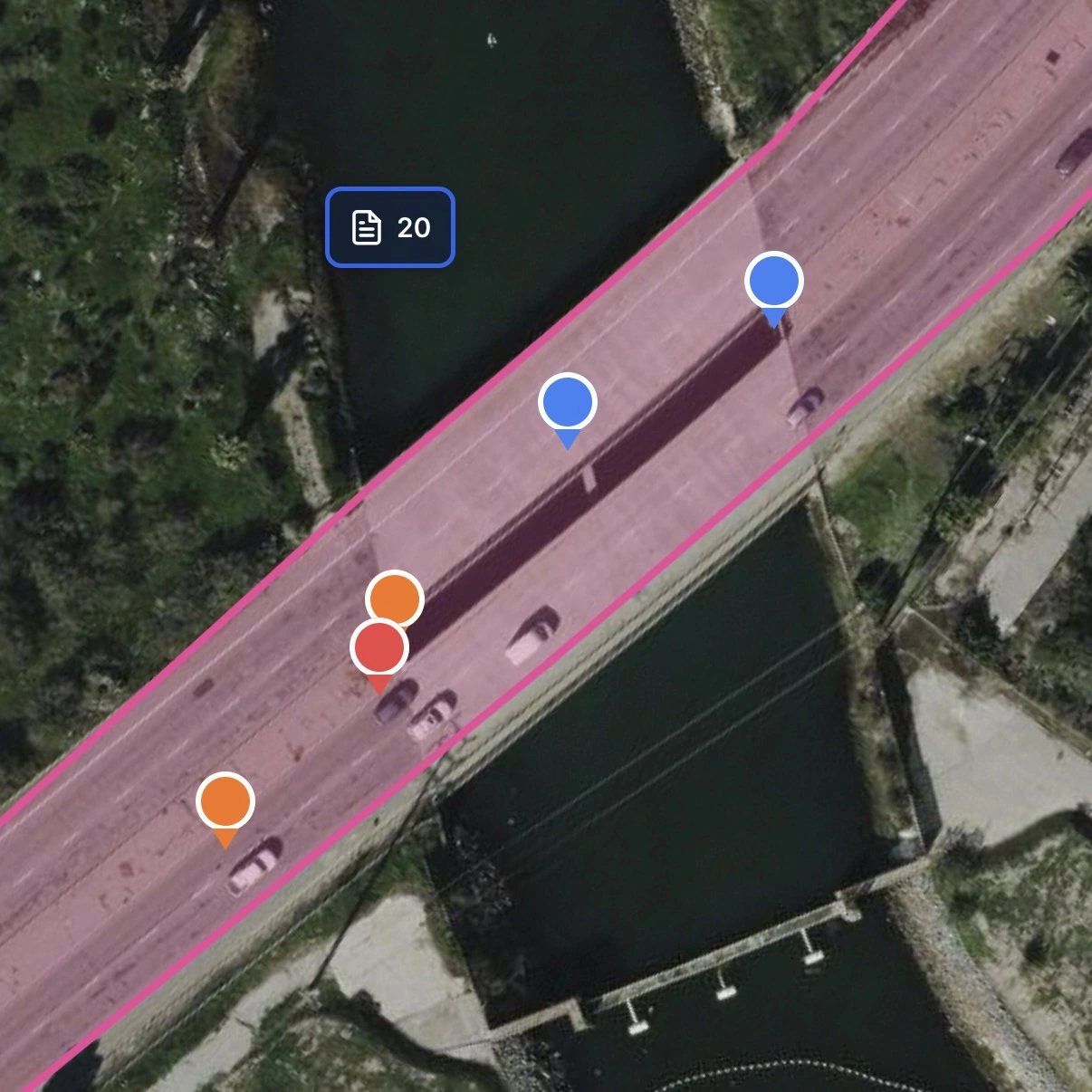
Track Multiple Records Pins
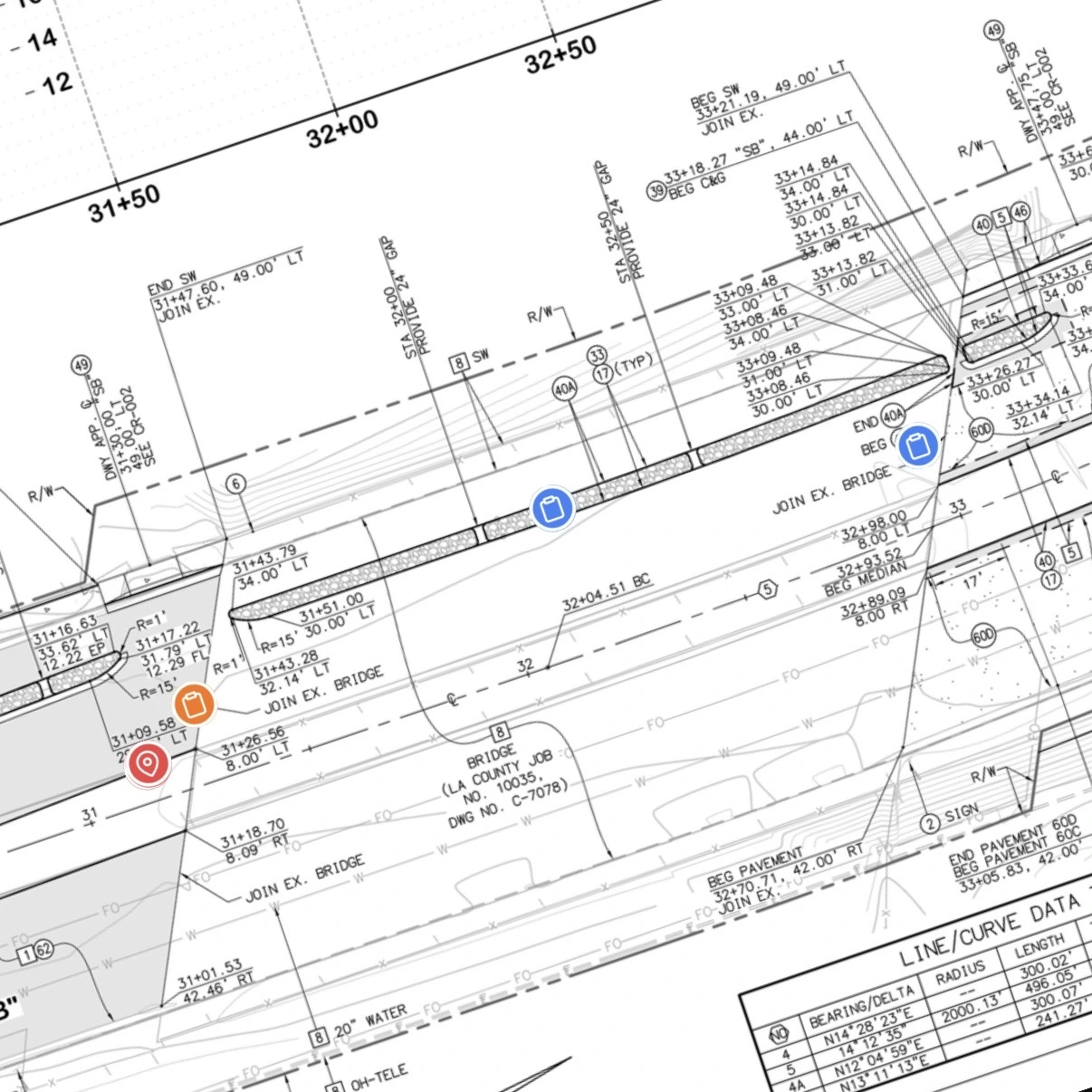
Overlay Plan Sheets
Create an account, choose Free, then add your first project.
Bids & Estimates on a map
Civil and commercial contractors often manage a pipeline of active bids and opportunities alongside their current jobs. HeavyCivilHelper's Bids & Estimates workflow plots prospects and active bids on the same map — so business development and field coordination happen in one place.
- Plot prospect job sites on a map and track pipeline stage for each location
- Move a lead from 'bid submitted' to 'awarded' and open it as a full field coordination project
- See your active jobs and prospects on one map — useful for territory planning and crew deployment
- Track 10 concurrent bids across a metro area the same way you track your active projects
Map-based construction workflows extend beyond heavy civil
HeavyCivilHelper supports three construction workflows: Civil & Infrastructure for civil and public works coordination, Building & Trades for active residential, commercial, and specialty jobs, and Bids & Estimates for pre-award opportunities.
Residential and specialty trades
Roofing, exterior, and specialty jobs need active-job visibility by location so crews, scope, and field notes stay connected.
Civil and utility contractors
Water main replacements, fiber installations, and corridor work are points or segments on a map before they are anything else.
Pre-award estimating teams
Bid locations, opportunity stages, site visits, and follow-up dates benefit from a visible pre-award pipeline.
Construction-adjacent field vendors
Material, environmental, and traffic-control teams can keep active site work and field records tied to the job location.
Traffic control and MOT operations
Lane closures, flagging locations, and TCP compliance points are defined by their geometry on the road network.
Independent construction crews
Small construction and specialty-trade crews can organize estimates and active jobs around the places where work is happening.
Frequently asked questions
Is HeavyCivilHelper a direct competitor to Buildertrend?
Not for the residential GC use case. Buildertrend is purpose-built for homebuilders and remodelers, with features like homeowner portals, finish selections, and allowance tracking that HeavyCivilHelper does not have. HeavyCivilHelper is built for civil and commercial field coordination — RFIs, directives, submittals, and GPS-pinned field issues on an active project map. They target different contractor types.
What does a residential contractor moving into commercial work need?
The biggest gaps when moving from residential to commercial work are: RFI management (formal question-and-answer records tied to plan locations), directive tracking (written records of verbal scope changes), submittal approval workflows, and field coordination on a GPS map rather than a homeowner portal. HeavyCivilHelper covers those needs without requiring you to maintain a residential platform you no longer need.
Can I track leads and bids on a map in HeavyCivilHelper?
Yes. HeavyCivilHelper has a Bids & Estimates workflow that plots prospects and active bids on a GPS map. A civil or commercial contractor can track 10 concurrent public works bids, move them from prospect to awarded, and open the awarded project as a full field coordination project — all in the same map interface.
Is HeavyCivilHelper priced for civil and commercial contractors?
Yes. HeavyCivilHelper is priced for small-to-mid civil and commercial specialty contractors — not residential project volumes or enterprise GC organizations. The pricing model does not penalize you for adding the agency inspector or subcontractor PM who needs project access.
See the map-first field coordination layer in action
The heavy civil demo loads a real public works project with RFIs, directives, lane closures, and a plan sheet overlay on a GPS map. No login required.
Related
Public Works and Heavy Civil
How HCH handles RFIs, directives, and submittals on public works corridor projects.
For Small Contractors
How HCH fits a 5-50 person civil or specialty contractor operation.
Track Leads on a Map
Map-based sales pipeline for contractors managing concurrent bids.
CRM for Contractors
Map-first CRM vs Salesforce and HubSpot for field teams.
Fieldwire Alternative
GPS map coordination vs per-user plan markup tools.